Miniscript: Programmable Bitcoin
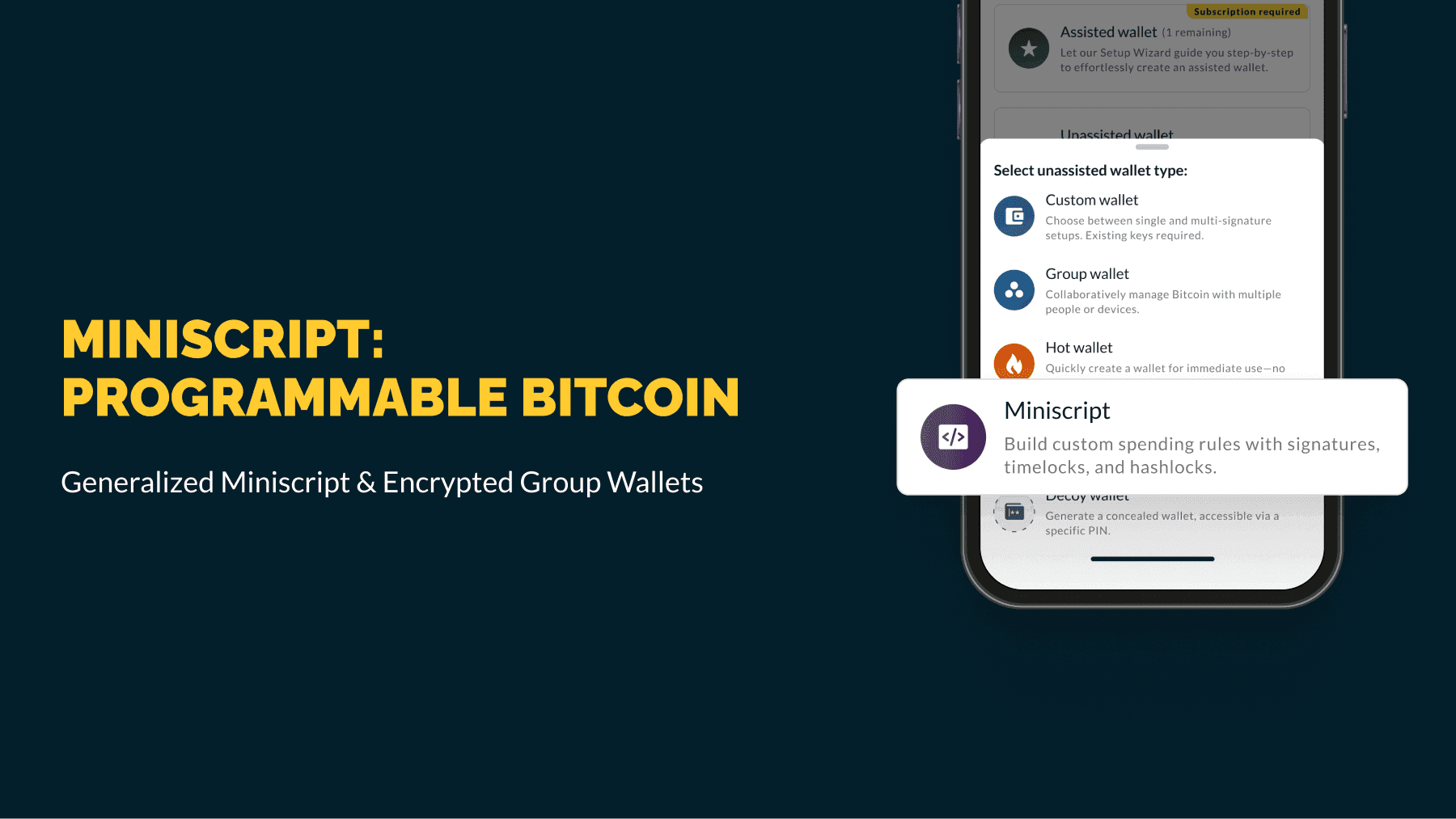
Bitcoin enables programmable money, but creating complex spending rules has traditionally been difficult, risky, and hard to coordinate. Today, we’re changing that.
We’re shipping generalized Miniscript in Nunchuk, allowing anyone to create wallets that adapt to real‑life needs, such as a timelocked inheritance plan, a business treasury with layered approvals and fallbacks, a non‑custodial escrow, or even a multi‑party wallet with a compact on‑chain footprint. All from one friendly, encrypted app.
TL;DR
- Miniscript turns Bitcoin’s built‑in rules (signatures, timelocks, hashlocks, more) into safe, composable building blocks.
- Generalized Miniscript in Nunchuk: not just a few pre‑baked scripts. Create any Miniscript policy that fits standard Bitcoin policy rules.
- Group Wallets are Miniscript‑ready: propose, create, and operate collaborative Miniscript wallets securely. The entire flow is end-to-end encrypted (E2EE), with built‑in chat for ongoing coordination after the wallet is created.
- Taproot and MuSig2 are optional: Taproot can keep unused branches hidden. MuSig2 can aggregate multiple signers into one combined key (key path or inside a script branch), improving privacy and efficiency.
- Hardware support today:
- Native SegWit Miniscript: Coldcard, Tapsigner, Blockstream Jade, Ledger, Specter DIY
- Taproot Miniscript: Coldcard, Ledger, Specter DIY
- MuSig2: software keys only (for now). More devices as vendors adopt Miniscript/Taproot/MuSig2.
What Miniscript means (in plain English)
Bitcoin has long supported spending rules such as multiple signatures and time delays. Historically, creating and managing wallets using those rules was complex, error‑prone, and difficult to verify.
Miniscript (BIP-379) is a structured way to express these rules so wallets can analyze and present them safely. Think Lego blocks: signatures, time, and secrets (hashlocks) you can compose into clear, reliable policies without hand‑rolled scripts.
What’s new in Nunchuk
1. Generalized Miniscript
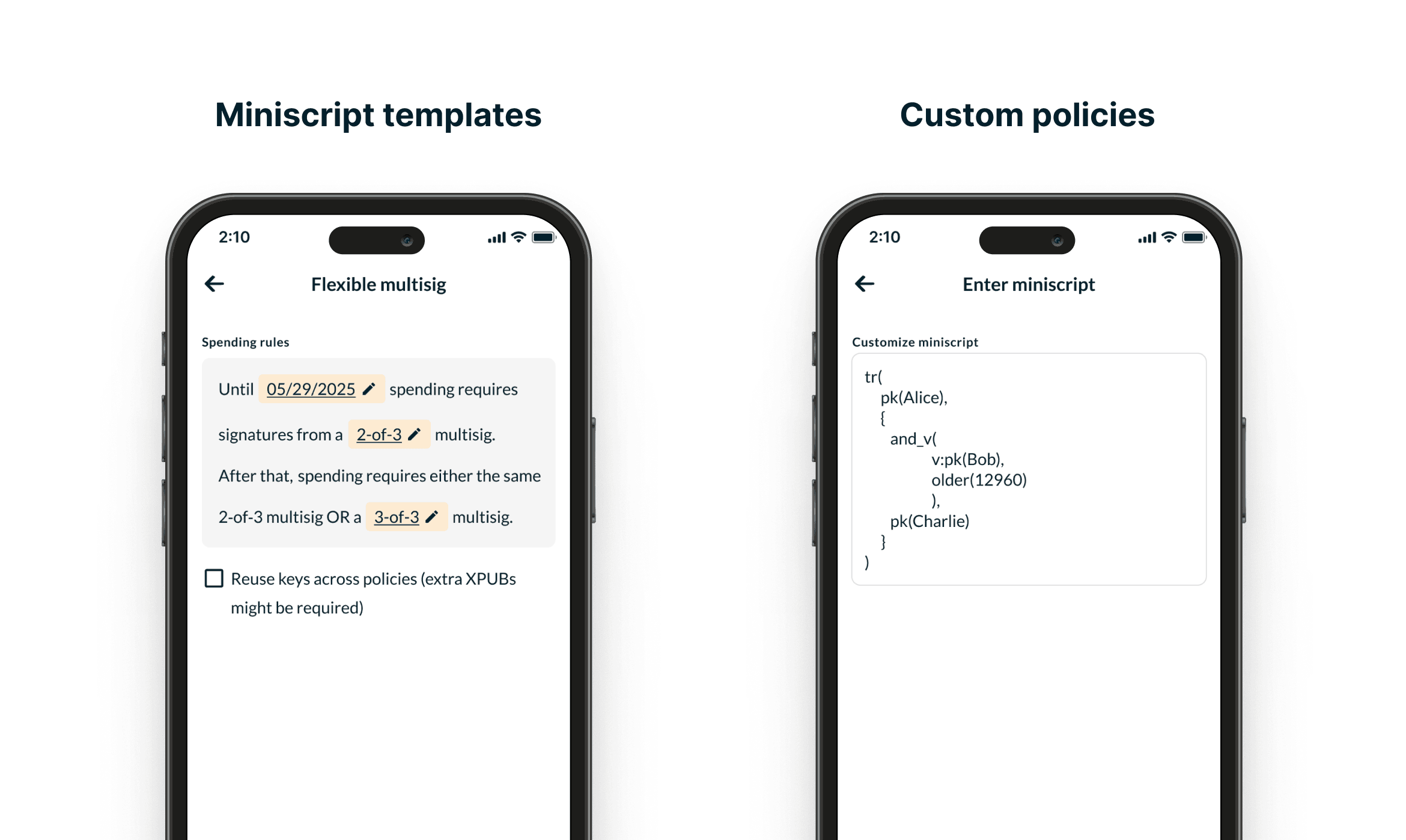
You’re no longer limited to a few niche policies. Create any policy expressible in Miniscript that is accepted under standard Bitcoin policy rules: thresholds; AND/OR logic; timelocks; hash‑based conditions.
Use templates for common patterns, or paste a custom policy if you’re advanced. Nunchuk parses and validates the policy, checks it for correctness and standardness, and shows the resulting behavior clearly before you commit funds.
2. Group Wallets, now Miniscript‑ready
Six months ago we launched end‑to‑end encrypted Group Wallets. Starting today, Group Wallets work with Miniscript out of the box.
Coordinating complex custody over insecure channels (email, standard messengers) is a major risk. Nunchuk solves that: any set of individuals or devices can create a collaborative Miniscript wallet in Nunchuk, then use the built‑in encrypted chat for ongoing coordination such as spending requests and status updates.
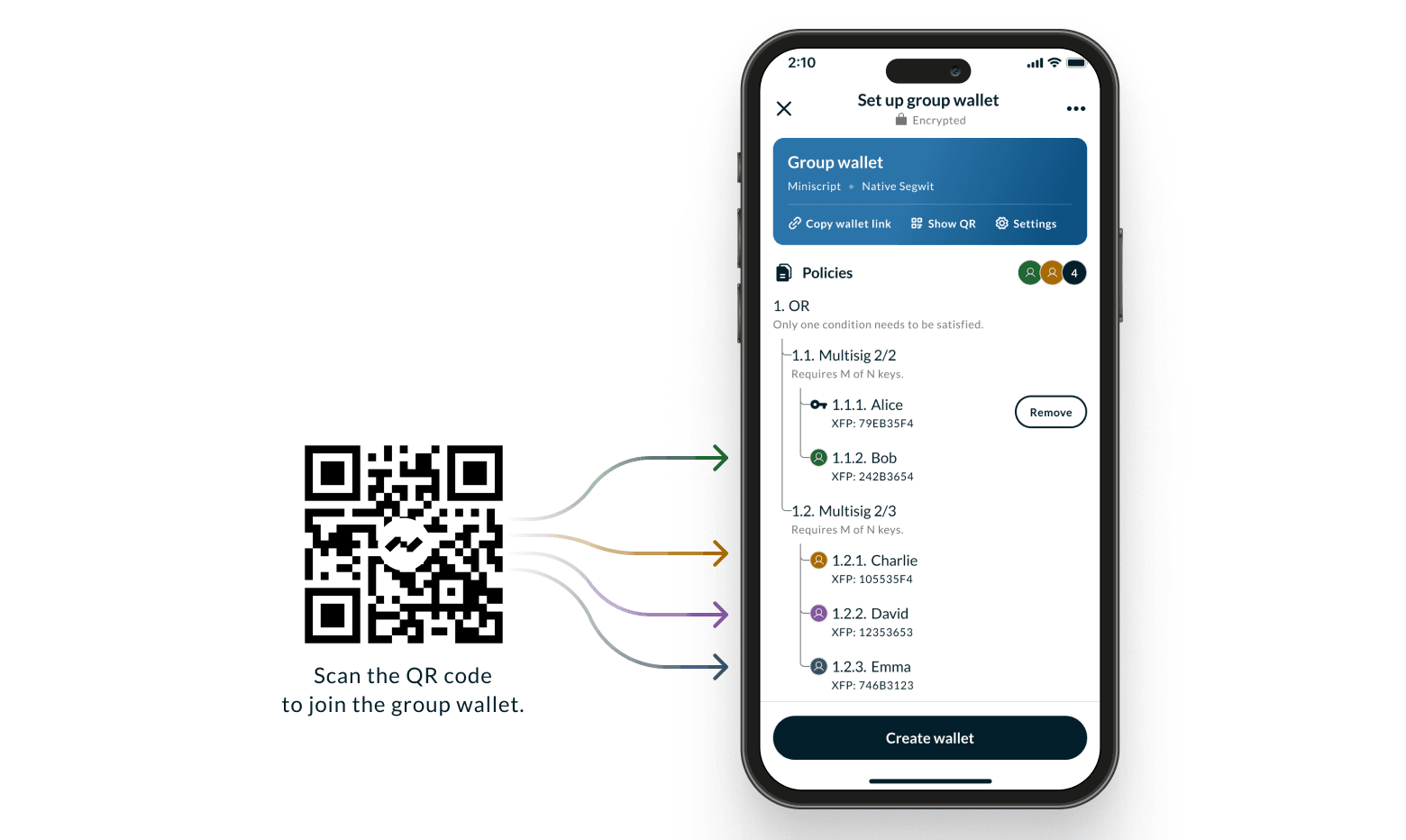
Together, generalized Miniscript plus secure, collaborative Group Wallets make programmable money practical and safe for teams, families, and organizations.
Real‑world examples (what you can build today)
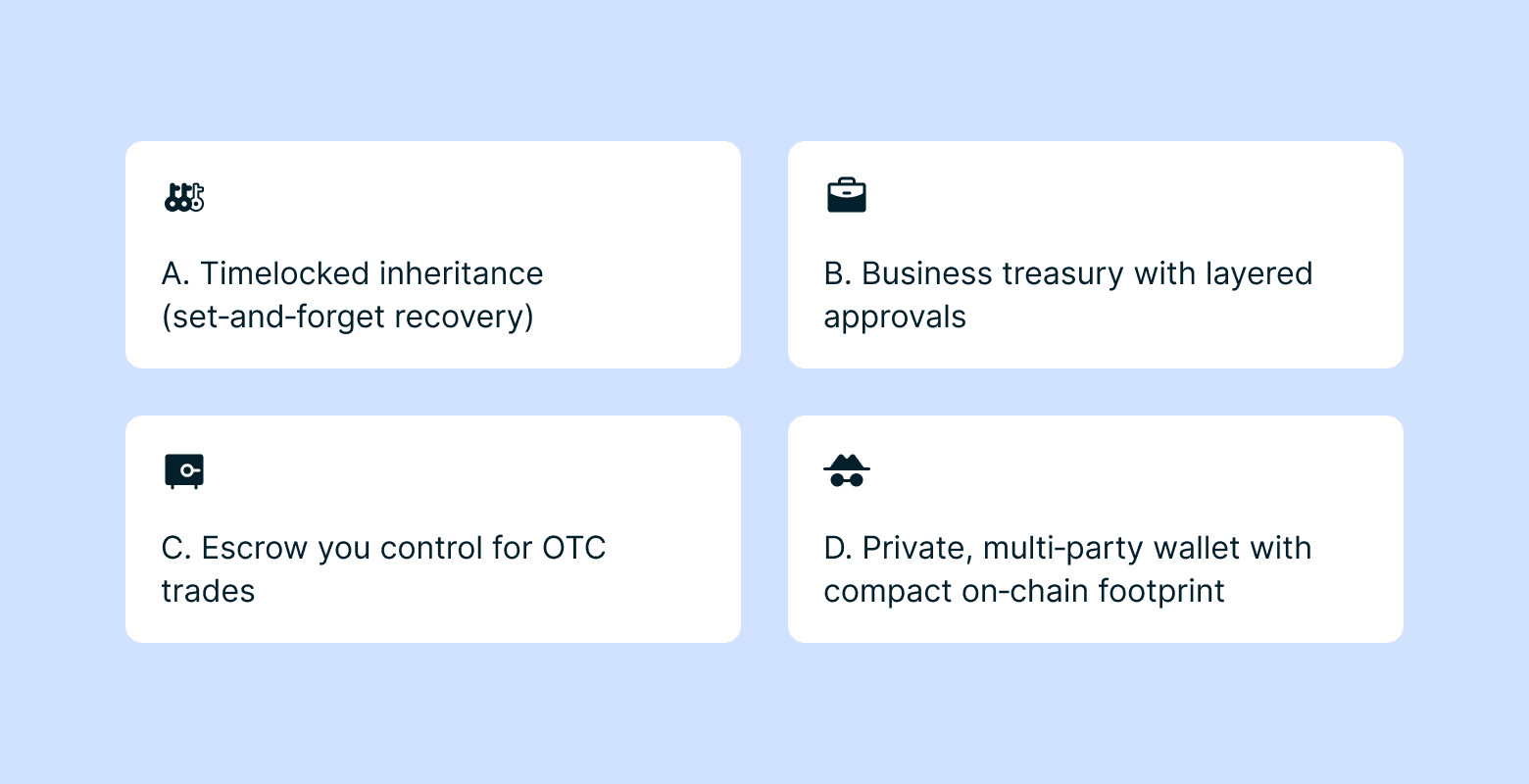
A) Timelocked inheritance (set‑and‑forget recovery)
Policy idea: 2‑of‑3 today; if you’re offline for six months, a designated backup key can recover.
Why it matters: Reduces permanent loss without giving anyone immediate control.
How it works: A signature threshold or a timelocked recovery path.
Honey Badger note (next release): For our subscribers, the Honey Badger assisted wallet will support both off‑chain and on‑chain timelocks for inheritance planning.
B) Business treasury with layered approvals
Policy idea:
• Day‑to‑day: any two finance leads plus an organization‑controlled signer (e.g., HSM/KMS).
• High‑value escalations: any two finance leads plus CFO.
• Delayed/emergency access: any two finance leads after a seven‑day delay.
Why it matters: Everyday agility with serious guardrails.
How it works: Threshold/AND plus OR branches and an optional timelock. Teams choose which branch to use operationally.
C) Escrow you control for OTC trades
Policy idea: Buyer + Seller, or either party + Arbiter after a timeout.
Why it matters: No custodian. Clear, rule‑based resolution paths.
How it works: OR logic with a timelocked fallback.
D) Private, multi‑party wallet with compact on‑chain footprint
Policy idea: Three devices share control; the spend can use an aggregated key so the number of signers isn’t revealed.
Why it matters: Team security without broadcasting governance.
How it works: Optional Taproot and MuSig2. MuSig2 aggregates multiple signers into one combined key; Taproot hides unused branches. In a script path, only the executed branch is revealed.
There are more potential applications, such as emergency recovery paths and BTC‑backed agreements with rule‑based release conditions (loans or insurance). These rely on off‑chain agreements but use on‑chain enforcement for payouts.
For sample Miniscripts illustrating the above use cases, please refer to Miniscript 101: A Technical Guide.
Privacy and efficiency (optional)
You can use Miniscript in Nunchuk with Native SegWit today. If you opt in to advanced features, Taproot can keep unused branches hidden, and MuSig2 can aggregate multiple signers into a single combined key. Aggregation can be used for Taproot key‑path spends or inside a script branch. Both reduce on‑chain footprint and improve privacy. These are optional.
Hardware today and what’s next
Supported now
- Native SegWit Miniscript: Coldcard, Tapsigner, Blockstream Jade, Ledger, Specter DIY
- Taproot Miniscript: Coldcard, Ledger, Specter DIY
- MuSig2: software keys only
What’s coming
This list will expand as more hardware vendors adopt Miniscript, Taproot, and MuSig2. We’ll update support as vendors ship compatible firmware and SDKs.
How to use Miniscript in Nunchuk
You can be up and running in minutes.
Single‑user Miniscript wallet
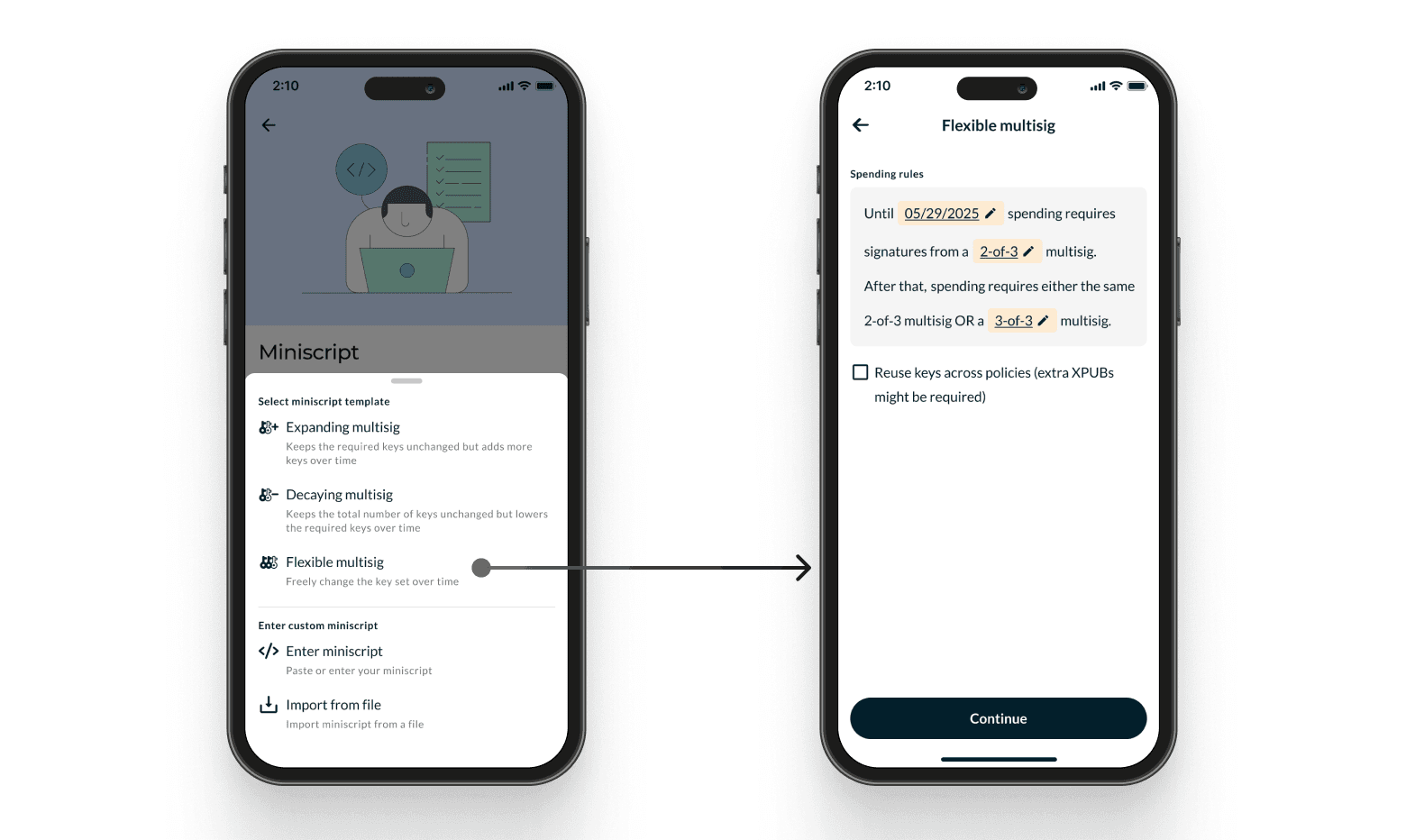
- Start from: Create new wallet → Miniscript
- Templates (recommended): Decaying, Expanding, or Flexible multisig. Configure the number of keys, the required threshold, timeouts, and fallbacks.
- Custom policy (advanced): paste a full Miniscript policy. Nunchuk parses and validates it for correctness and standardness, and shows you the resulting behavior.
- Add keys
Connect hardware or add software keys. - Review and create
Confirm the policy summary and addresses. - Fund and test
Deposit funds into your new wallet and perform a small test spend.
Miniscript Group wallet
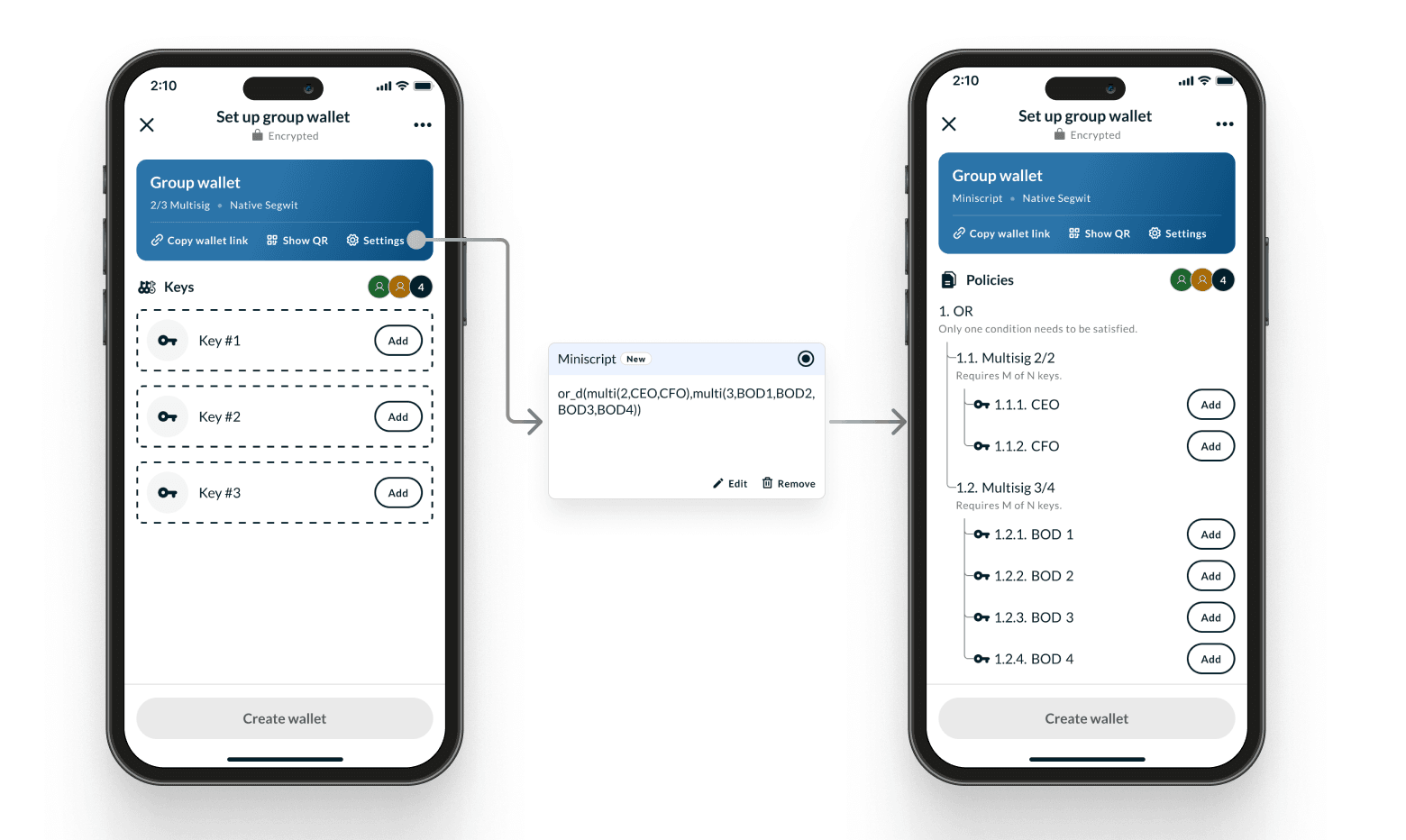
- Start from: Create new wallet → Group wallet
Invite members or devices. Group communication is encrypted. The wallet starts with a default configuration (e.g., 2‑of‑3 Native SegWit). - Customize the configuration
Open the group wallet’s Settings → Miniscript → Add Miniscript. - Define the policy
Use a template or paste a custom policy. - Add each participant’s keys
Connect hardware or software keys per member. - Review and create
All participants securely review and approve the final policy together. - Coordinate and spend
Use the built‑in chat (available after wallet creation) for ongoing coordination, spending requests, and status updates.
Important: Back up your wallet configuration
Export your wallet configuration in Output Descriptors or BSMS format. BSMS is a wrapper around Output Descriptors that includes extra metadata (for example, the wallet’s first address), which serves as a checksum and helps you identify a wallet quickly.
For wallet recovery, core Miniscript elements, and other technical details, see our companion post: Miniscript 101: A Technical Guide.
Getting started
Update Nunchuk to the latest version and try a template. You’ll have a programmable wallet in minutes.
- Download or update Nunchuk
- For a deeper dive into Miniscript, see Miniscript 101: A Technical Guide
- Join our Slack and follow us on X for updates