Introducing Decoy Wallet: Enhance Your Bitcoin Security with Plausible Deniability
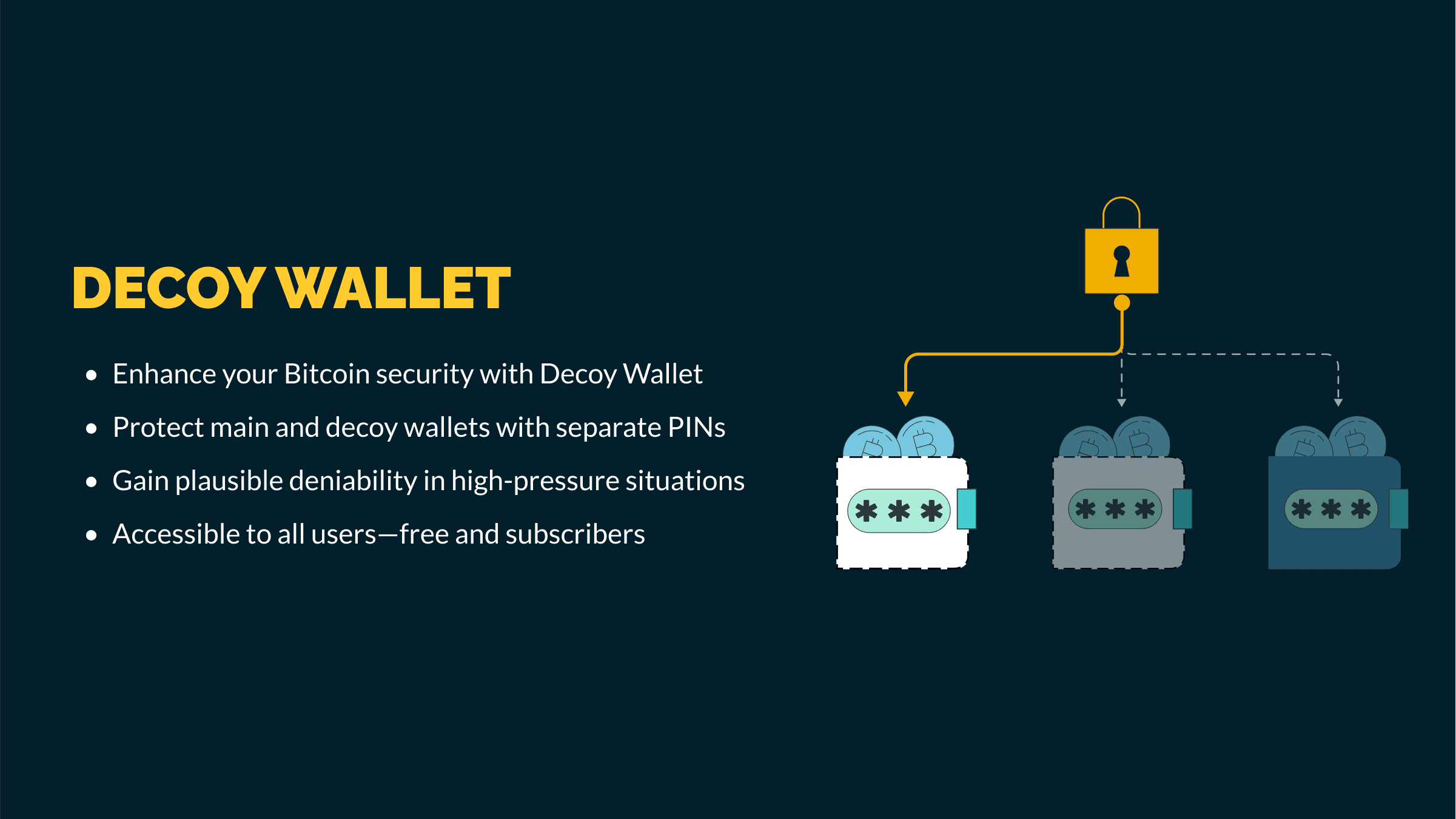
In the ever-evolving world of Bitcoin, security is paramount. We understand that safeguarding your bitcoin holdings is more than just protecting your assets — it’s about ensuring peace of mind. That’s why we’re excited to introduce the Decoy Wallet on our mobile app, a new feature designed to add an extra layer of security to your bitcoin experience.
What Is the Decoy Wallet?
The Decoy Wallet is a specially designed bitcoin wallet intended to hold a small amount of bitcoin as a safeguard against potential threats. In situations where you might be compelled to reveal your wallet, a Decoy Wallet allows you to present a minimal amount of funds, thereby defusing the situation without compromising your main holdings.
How Does the Decoy Wallet Work?
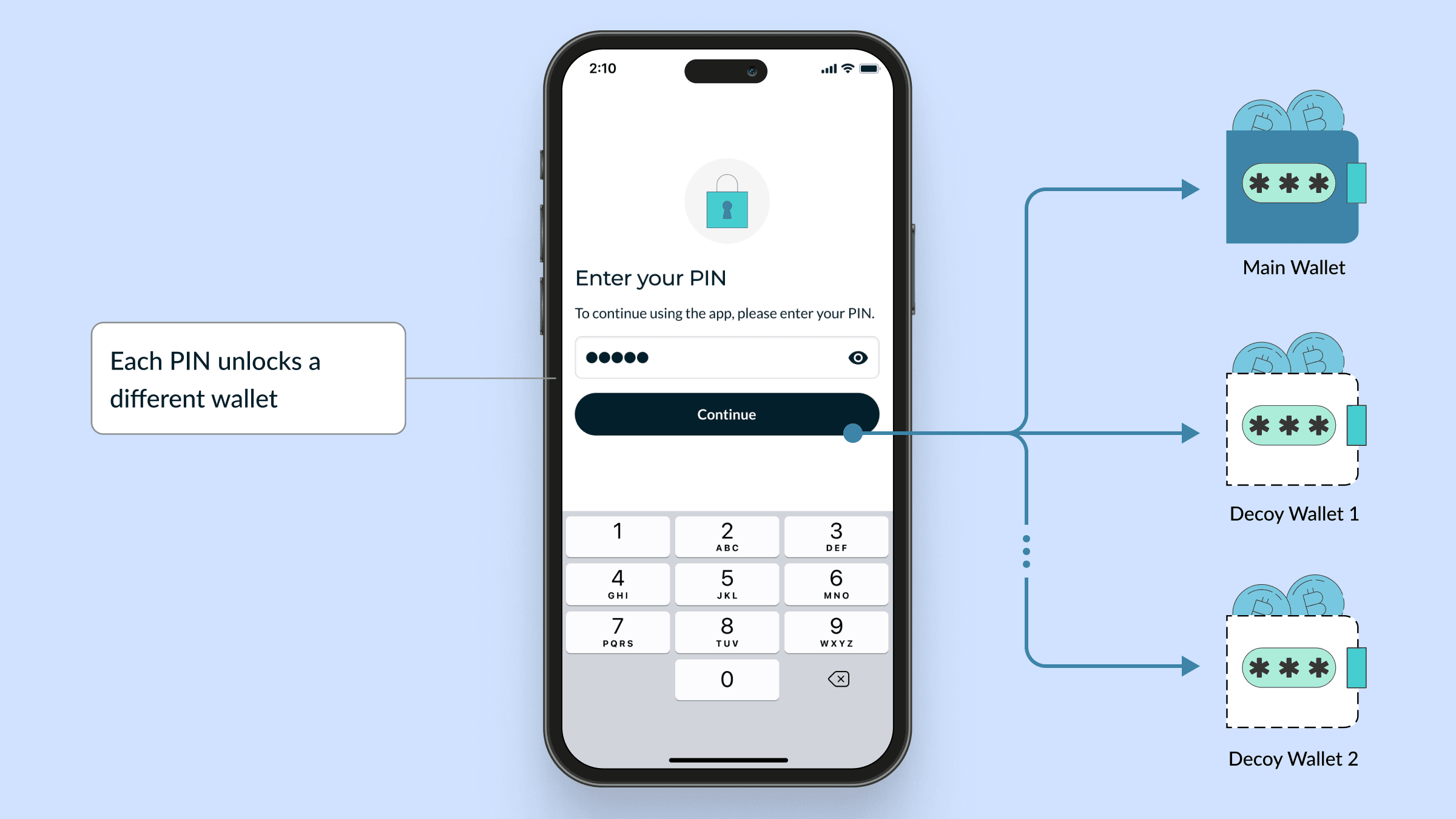
The Decoy Wallet feature operates using separate PINs:
- Security PIN: Grants access to your main wallets.
- Decoy PIN(s): Grant access to Decoy Wallet(s).
In a threatening scenario, you can enter one of your Decoy PINs to unlock a Decoy Wallet on your mobile app. Each Decoy PIN creates a separate “space,” allowing you to have multiple Decoy Wallets if you wish. These wallets appear authentic and contain a small amount of bitcoin, providing plausible deniability about the existence of your main wallets. To access your primary wallets, you must enter your Security PIN.
Creating a Decoy Wallet on the Mobile App: Step-by-Step Guide
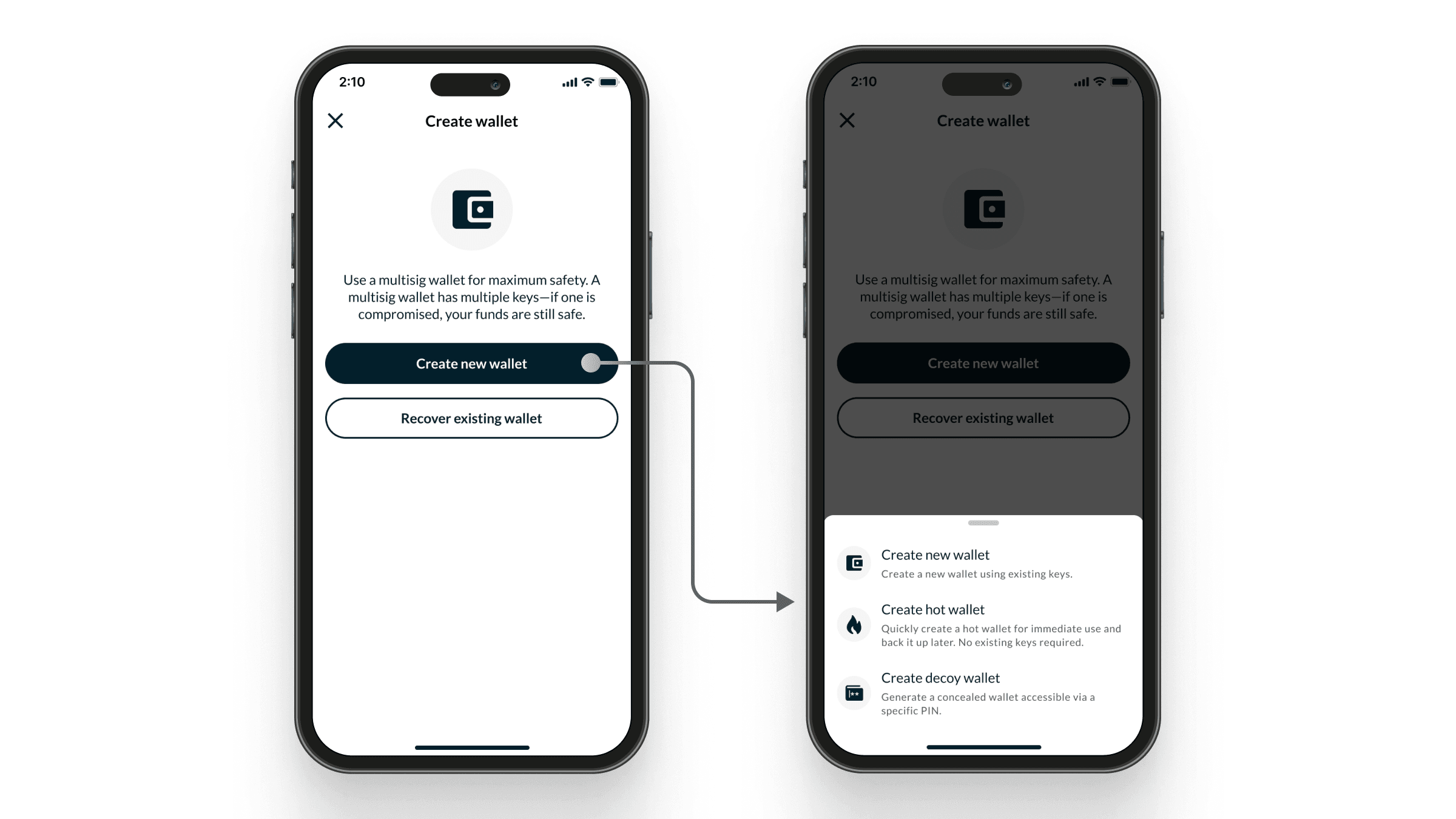
Setting up a Decoy Wallet is straightforward. Follow these simple steps on your mobile app:
1. Navigate to Add Wallet: Open the mobile app and select the ‘Add Wallet’ option.
2. Create New Wallet: Choose ‘Create New Wallet’ from the menu.
3. Select Decoy Wallet: Tap on ‘Create a Decoy Wallet’.
4. [Optional] Set Up Security PIN (if you haven’t previously enabled the PIN feature).
5. Set Your Decoy PIN: Enter a unique Decoy PIN for the Decoy Wallet. This should be different from your Security PIN.
6. Create and Fund Your Decoy Wallet:
- Create the Wallet: Setting up a Decoy Wallet works just like creating any other bitcoin wallet on the mobile app.
- Choose Your Keys: You can reuse a key from your main wallets (if you’re using multisig) or generate a completely new one.
- Fund the Wallet: Transfer a small amount of bitcoin to make the wallet appear active.
Important Notes and Best Practices
- Accessible to All Users: Both free users and subscribers can utilize the Decoy Wallet feature on the mobile app.
- Automatic Sign-Out for Account Users: If you’re signed into an account and enter a Decoy PIN, the app will automatically sign you out. To return to your main wallets, you’ll need to sign back in and enter your Security PIN.
- Plausible Deniability: Decoy Wallets are created under Guest mode by default. This design ensures that an attacker cannot determine whether you have additional wallets or an account.
- Funding the Decoy Wallet: We recommend placing a small amount of bitcoin in your Decoy Wallet to increase its credibility. This could range from an insignificant sum to a few percent of your total holdings. Assess your personal circumstances to decide the appropriate amount.
- No ‘Forgot PIN?’ Feature: Your PINs are stored locally, and there is no option to recover forgotten PINs. It’s crucial to securely back up your Security PIN and all Decoy PINs. Additionally, ensure you have backups of your wallets to prevent potential loss of funds.
Enhancing Your Security Strategy
The Decoy Wallet feature is a powerful tool in your security arsenal, but it works best when integrated into a comprehensive approach to safeguarding your assets. Remember to:
- Keep Your PINs Confidential: Never share your PINs with anyone, and avoid using easily guessable numbers.
- Regularly Update Your Security Measures: Stay informed about the latest security practices and adjust your strategies accordingly.
- Consider Setting Up an Inheritance Plan: For further peace of mind, ensure your family can access your bitcoin in case something unfortunate happens to you. Our Inheritance Planning feature, included in our Honey Badger plan, makes it easy to secure your bitcoin legacy.
Conclusion
Your security is our top priority. With the introduction of the Decoy Wallet on our mobile app, we aim to provide you with innovative tools to protect your bitcoin holdings effectively.
For any questions or assistance, feel free to reach out to our support team at [email protected]. Stay safe!